
Focus & Insights
Ergonomic Assessments for Hybrid and Remote Work
Learn how ergonomic assessments support hybrid and remote workers by reducing strain, improving workstation setup, and helping employers manage risk.
Eronomic assessments help employers understand whether a worker’s setup is supporting safe, comfortable, and sustainable work. For hybrid and remote teams, that can be harder to see. A person may work from a corporate office two days a week, a kitchen table on Fridays, and a home office that was “temporary” four years ago. Time flies. So does neck tension.
For safety decision-makers, ergonomic assessments are not about policing desk setups. They are about identifying risk factors, reducing strain, and supporting workers who spend long periods at computers, phones, or shared workstations.
What Ergonomic Assessments Look at in Office Work
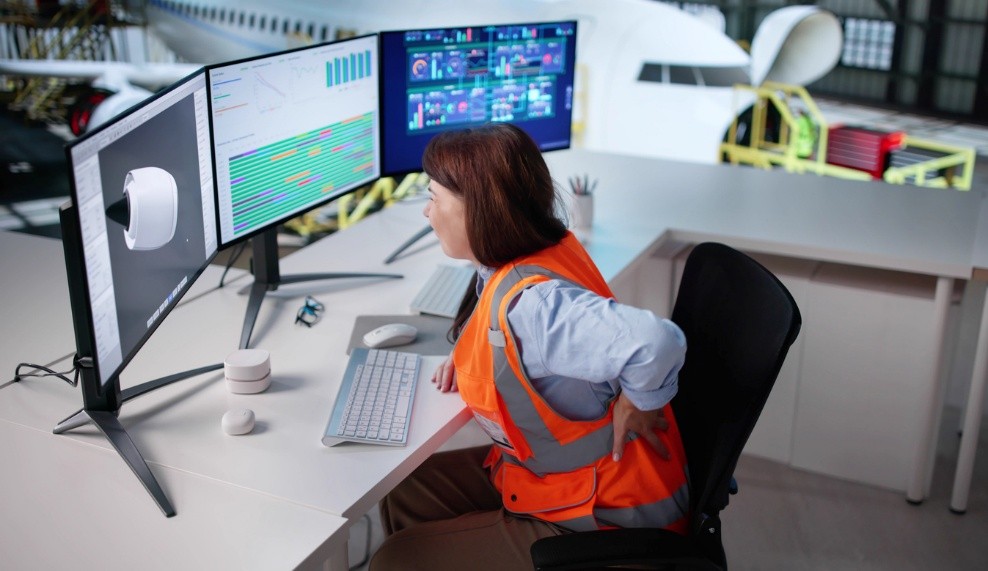
Ergonomic assessments review how a person’s workstation fits the work they do each day. In an office, hybrid, or remote setting, that usually means looking at posture, equipment placement, reach, lighting, and how long someone stays in one position.
A workstation is the full setup a worker uses to complete tasks. This may include a desk, chair, monitor, laptop, keyboard, mouse, phone, documents, lighting, and nearby tools.
A typical assessment may review:
- Chair height, back support, and seat depth
- Monitor height and viewing distance
- Keyboard and mouse position
- Laptop use and docking setup
- Desk height and leg clearance
- Lighting, glare, and screen visibility
- Phone, document, and accessory placement
- Work patterns, breaks, and task variation
The goal is to reduce unnecessary strain on the neck, shoulders, back, wrists, and eyes.
Why Ergonomic Assessments Matter for Hybrid Teams
Ergonomic assessments are especially helpful when workers split time between locations. A well-set-up office workstation does not automatically solve poor laptop use at home, and a good home setup does not always translate to a shared desk or hoteling station.
Hybrid work can also blur responsibility. Workers may not know what equipment they need. Supervisors may not see early signs of discomfort. HR and HSE teams may only hear about the issue once pain is affecting productivity or attendance.
An assessment gives everyone a clearer starting point. It helps identify practical changes, such as adding a monitor, adjusting chair settings, improving keyboard position, reducing glare, or changing how tasks are scheduled. Small changes can prevent a very large amount of grumbling. The productive kind of boring.
When to Use Ergonomic Assessments
Ergonomic assessments are useful when a worker reports discomfort, starts modified duties, returns after an injury, or changes work location. They are also helpful when launching hybrid work policies, setting up hoteling stations, onboarding new employees, or reviewing high-volume computer-based roles.
Key Considerations
Employer responsibilities can vary by province, employer type, and work arrangement. Remote work adds a few practical wrinkles, including privacy, equipment ownership, photo-based assessments, and how much control the employer has over the space.
Before starting, clarify:
- Which work locations are covered
- What equipment the employer provides
- How discomfort should be reported
- Whether assessments are virtual or in person
- How recommendations will be approved and tracked
Quick FAQ
1. What Is a Job Demands Analysis?
A Job Demands Analysis is a documented review of the physical, cognitive, and environmental demands required to perform a job safely and effectively.
2. Is a JDA the Same as an Ergonomics Assessment?
No. A JDA documents job demands. An ergonomics assessment evaluates how the task, tools, workstation, or layout can be improved to reduce strain and injury risk.
3. When Should Employers Complete a JDA?
A JDA is useful for return-to-work planning, accommodation, pre-placement review, job redesign, claims management, and any role where job demands need to be clearly documented.
Next Steps
Office ergonomics should make work easier to sustain, not add another form for everyone to ignore. If you are supporting hybrid or remote teams, start by identifying the setups, roles, and work patterns most likely to create strain.
To see how this fits into a broader ergonomics strategy, read A Guide to Workplace Ergonomics for Construction and Industrial Workplaces. If you want to talk through your current gaps, priorities, or internal capacity, talk to an expert.
CrossSafety’s team supports organizations across North America with consulting, workplace safety solutions, and training designed for complex, high-risk environments
Latest News & Insights
Deeper Dives
Uncategorized
Occupational Hygiene: A Practical Guide to Identifying and Controlling Workplace Health Hazards
Focus & Insights
Workplace Noise Assessment and When You Need One
Focus & Insights
Silica Exposure and How to Control the Risk